
Share Your Route, Share Peace of Mind. A New Way to Keep Loved Ones Informed
When someone you care about hits the road, it’s natural to worry a little. Is the weather going to turn while they’re driving? Will that storm reach the mountain pass before they do. Is the wind going to make the bridge crossing tricky. Most of us try to help by sending screenshots or typing out “snow expected around 3 pm near Flagstaff, so maybe leave earlier.”
Screenshots get messy. Weather changes. Plans shift. And not everyone wants to install an app just to check a single trip.
So we’ve built something much simpler.
A route you can share with anyone...even if they don't have the app installed
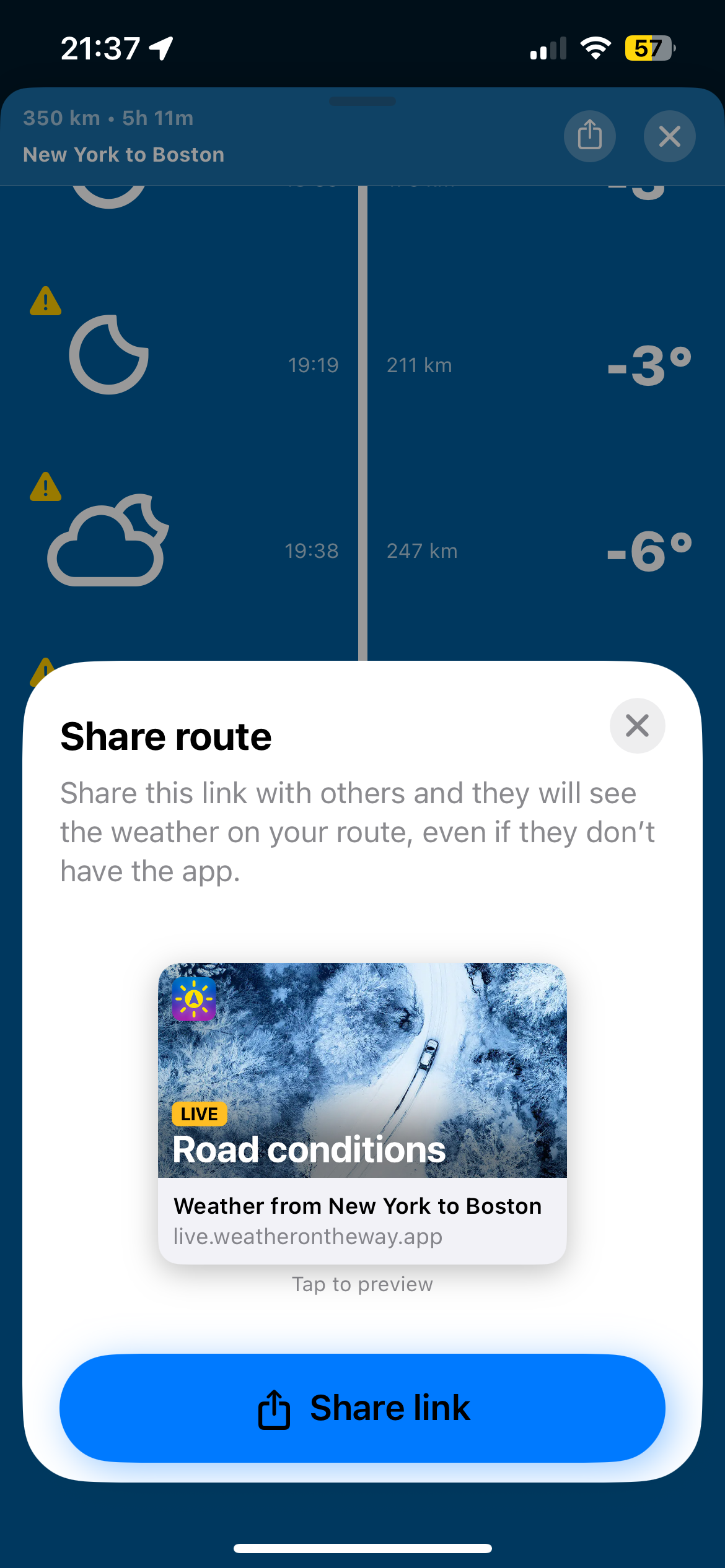
Our new Share Link feature lets you send a trip forecast to a friend or family member. They don’t need the Weather on the Way app. The link opens as a clean, easy-to-read webpage that shows the full route, timing, and weather along the way.
Think of it like handing someone a travel briefing, but automatically updated and built for real life.
Why this matters
Most of our users tell us they travel long distances for leisure. Visiting family. Holiday road trips. Weekends away. Scenic drives. And many of you have said the same thing in interviews. You want to keep the people you care about safe, and you want information that helps you make good decisions.
This feature makes that simple.
It’s especially useful for
• Parents with college students who drive home for the holidays
• Families checking on older relatives who travel alone
• Couples taking separate cars
• Friends coordinating meetups on unfamiliar routes
• Anyone who wants to share “here’s exactly what I’ll hit on the way” without tech hurdles
No app required
The link opens instantly in a browser. No downloads. No logins. Just a clear, visual forecast along the route, including
• Changing weather conditions
• Expected rain, snow, wind, and storms
• Temperature swings
• Your timing compared to the weather ahead
If conditions shift, the app user can update the route and send a fresh link. Nothing gets lost in translation. For recipients who have the app installed, the route will open a preloaded route in the app.
How to share a route
First, ensure your app is updated to Version 2.3.0 (or the latest app version). Then, once you plan a trip in the app, tap "Share Route" at the bottom of the Timeline section of the app. Choose how you want to send it. For example, with Whatsapp, email or SMS. That’s it. Your recipient can open the link on any phone or computer.
Built for peace of mind
Whether you’re the one doing the driving or the one waiting for the “arrived safely” message, this feature gives you more clarity and less worry.
A simple link. A safer drive. That’s the idea.

